
Create an organization
Set up a new facility organization in Wellicle
Overview
An organization is your facility workspace. Creating one makes you the OWNER and unlocks the staff shell at /org/{slug}/....
app.wellicle.com
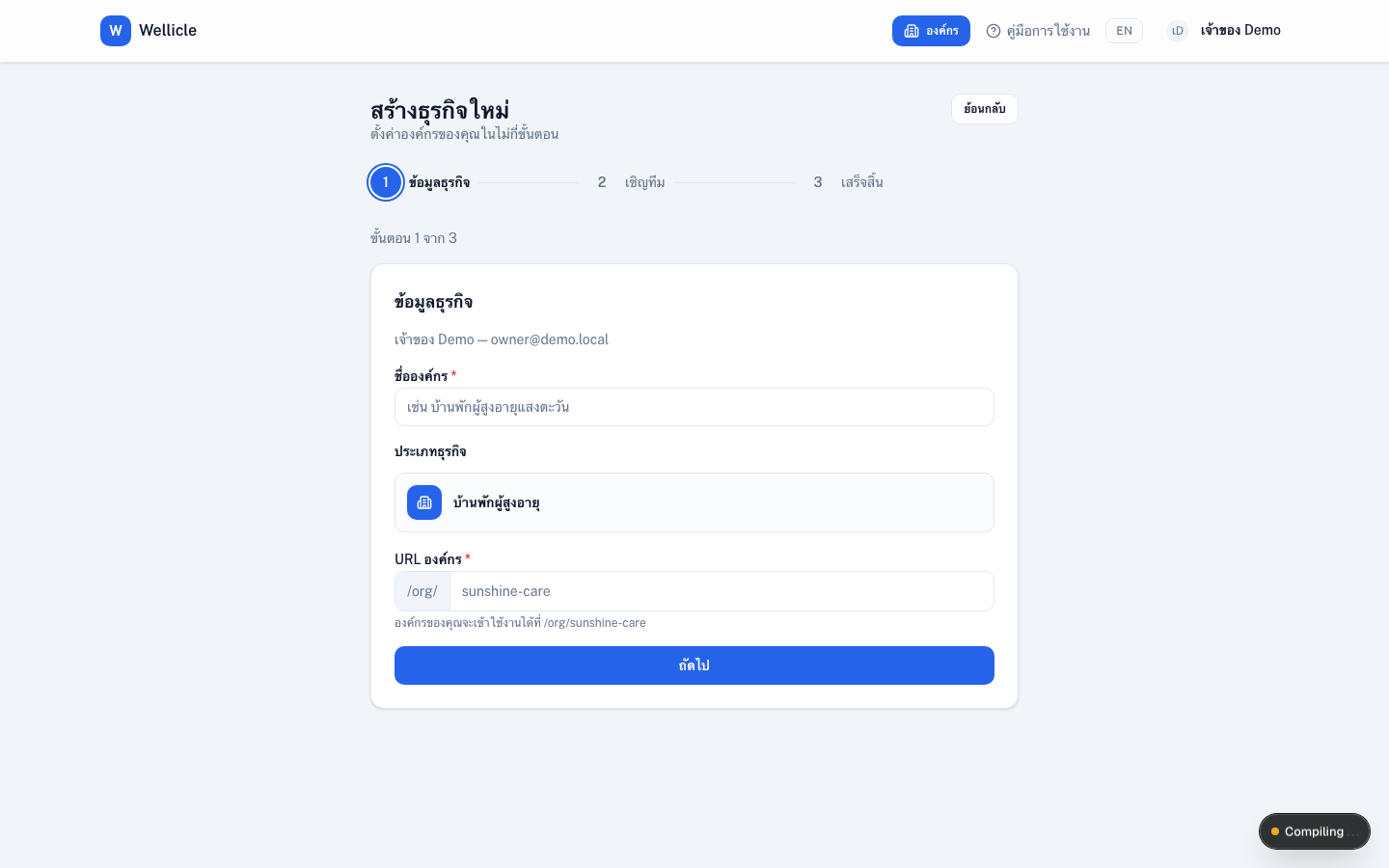
Create a new organization
Open create organization
Sign in and go to
/organization/new, or choose create from My organizations (/dashboard)Enter name and slug
Choose a display name and a unique slug (used in URLs such as
/org/my-home)Confirm
Save — you become the OWNER of the new organization
After creation
- Complete onboarding
- Invite teammates from Members (
/org/{slug}/members) - Configure rooms, room types, and service items before admitting residents
Tips
- You can belong to multiple organizations and switch between them
- Family and client users join by invite — they do not create the organization