
Omnichannel
Connect LINE, Telegram, Facebook, WhatsApp, and WeChat for the organization
Overview
Omnichannel stores messaging credentials for this organization so care updates and invoices can reach families on the chat app they already use.
app.wellicle.com
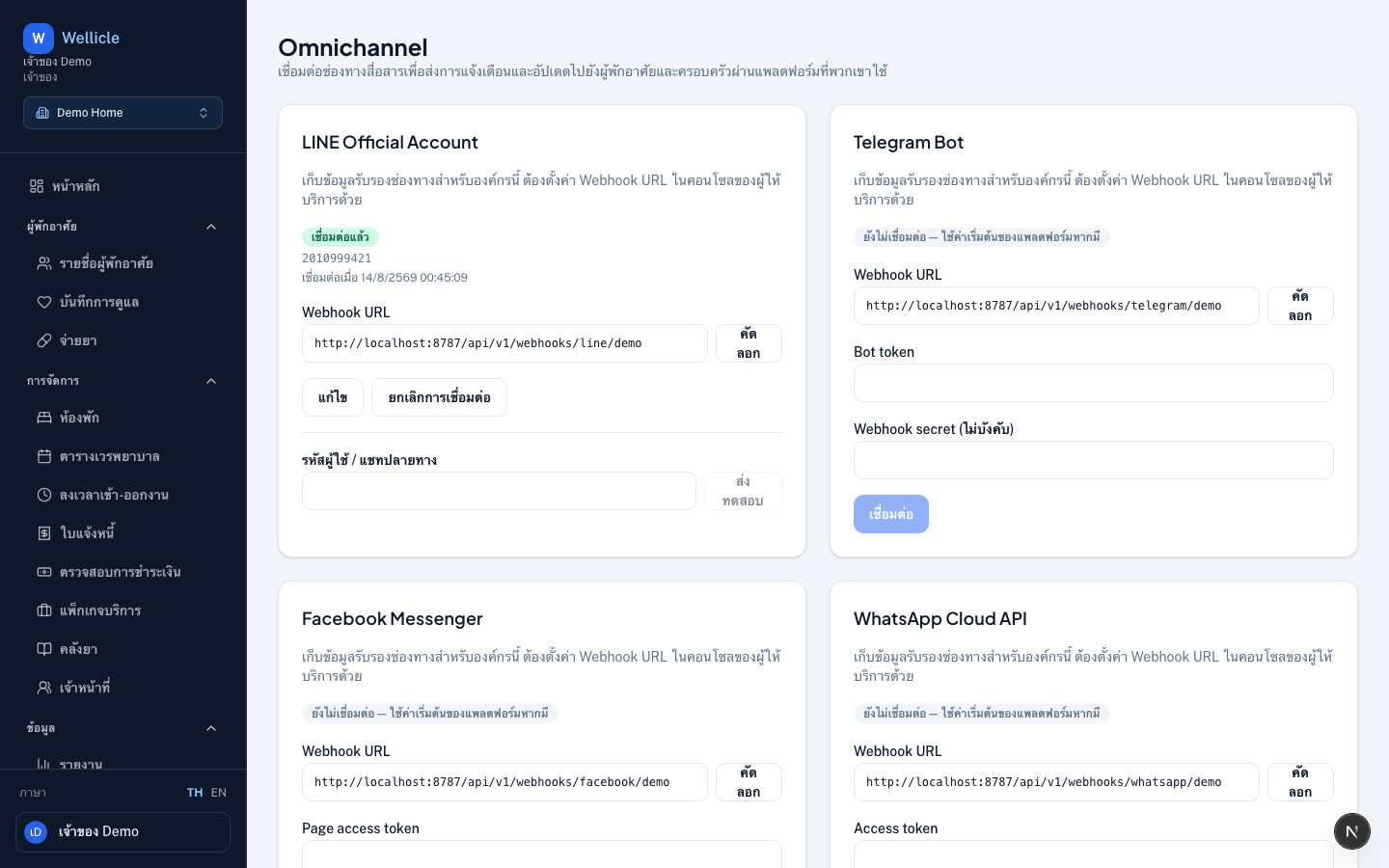
Open Omnichannel
Go to Omnichannel in the sidebar or /org/{slug}/settings/omnichannel. Requires orgs:read (connect/disconnect needs orgs:write).
Omnichannel is included on plans with messaging channels. If the page asks you to upgrade, an owner can change the plan under Settings → Plan.
Connect a channel
Pick a platform
Open the card for LINE Official Account, Telegram Bot, Facebook Messenger, WhatsApp Cloud API, or WeChat Official Account
Enter credentials
Fill the required fields from the provider console (channel secret, bot token, page access token, and so on). Password fields stay empty after save.
Copy the webhook URL
After connect, copy the webhook URL and paste it in the provider console
Send a test
Optionally enter a destination user / chat ID and choose Send test
Who links personal chats
Staff configure organization channels here. FAMILY and CLIENT users link their own chats under Notification settings (/{slug}/settings/messaging).
LINE-specific fields and webhook notes: LINE Official Account.
Tips
- Publishing a care day only lists channels the family has already linked
- You can disconnect a channel later; existing portal links stay until the family unlinks them