
Shifts and swaps
Schedule shifts, view the week calendar, and request swaps
Overview
The shift calendar shows who works each day. Managers schedule shifts; nurses can request swaps when they need coverage.
app.wellicle.com
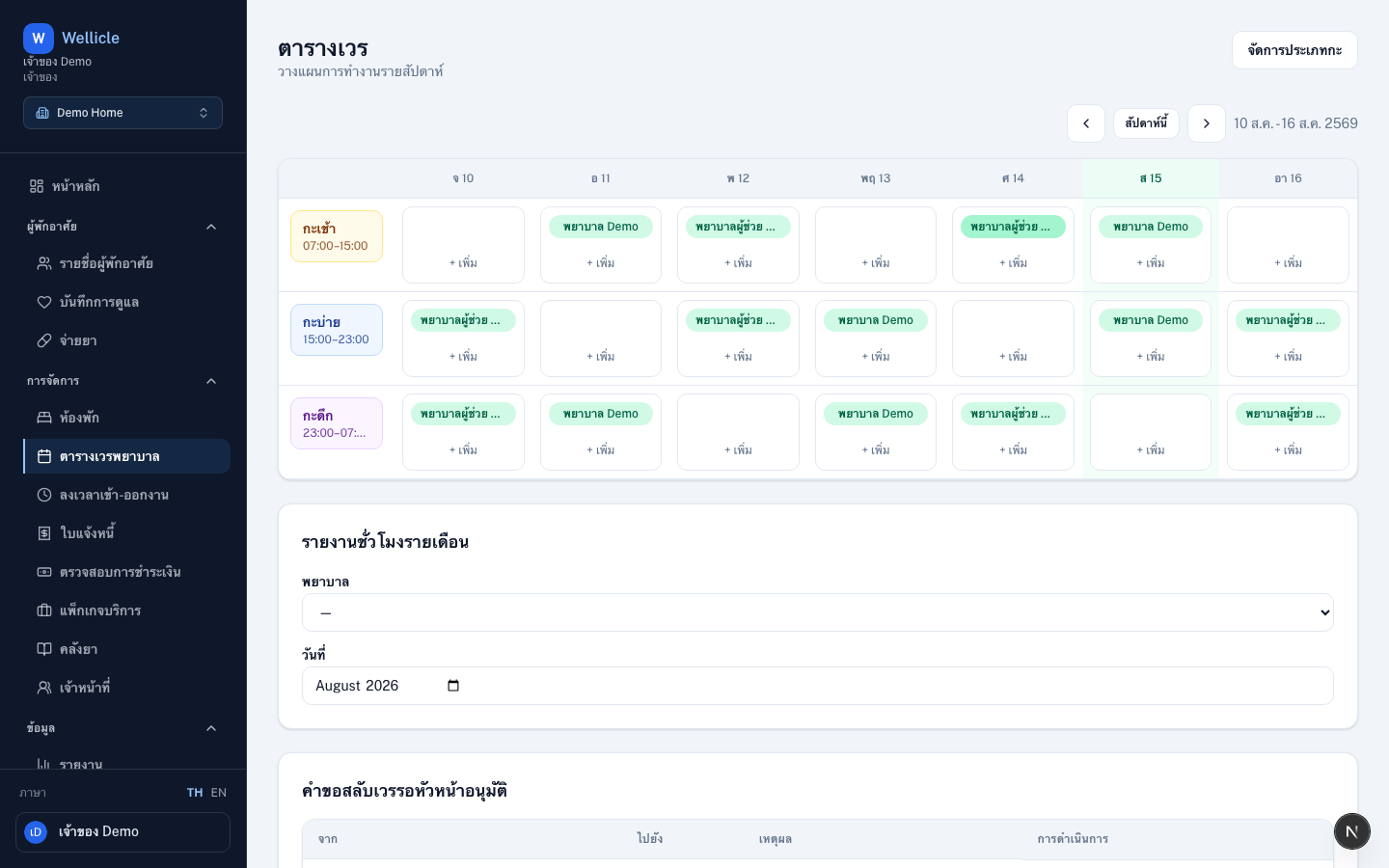
Shift calendar
Open Staff Shifts at /org/{slug}/shifts for the weekly calendar. Use Manage shift types (/org/{slug}/shifts/types) to define named shifts.
Create / edit shifts
Roles: OWNER, ADMIN, MANAGER
Add shift
Choose Add shift or select a cell for the person and date
Choose shift type or time
Use a shift type from
/org/{slug}/shifts/typesor a custom time rangeSave
Overlap and understaffed checks run according to organization rules
Swap requests
Request a swap
A nurse opens their shift and chooses Request swap, then picks another nurse’s shift
Peer accepts
The other nurse Accept swap or Decline swap
Manager approves
A manager Approve or Reject. On approval, the calendar updates automatically
Tips
- Pair scheduling with timeclock so attendance matches assigned shifts
- Use the week view to spot uncovered days early